Desktop apps
in developmentOpen your vcfclick databases, ingest VCFs into them and query them in a native app, no
terminal needed. A SwiftUI app for macOS and one C#/Avalonia app for Windows and Linux,
built panel for panel alike. Both drive the same vcfclick you install from PyPI, so the data, engine and results are exactly the CLI's.
What they do
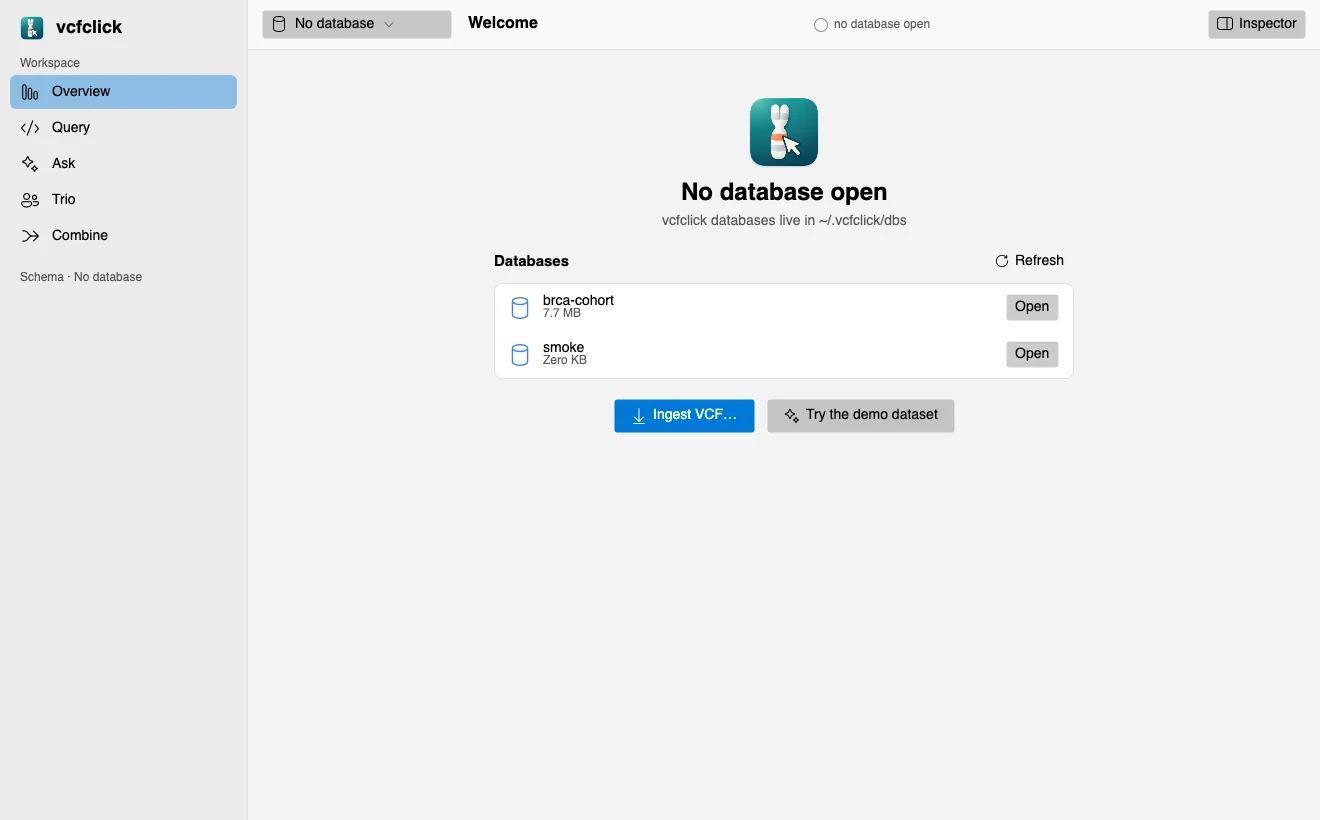
Your databases, listed
Every vcfclick database under ~/.vcfclick/dbs appears on launch with its size. The app reopens the one you used last; with nothing open it shows a first-run screen instead of pretending.
Ingest a VCF
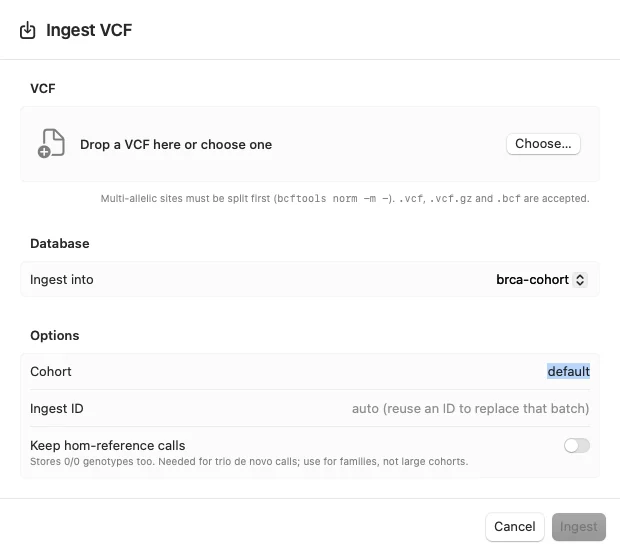
Pick or drop a file, ingest into an existing database or name a new one, and set cohort, ingest ID (reuse one to replace that batch) and keep-reference. vcfclick db ingest runs with its progress streamed live, can be stopped, and the database opens when it finishes.
Overview
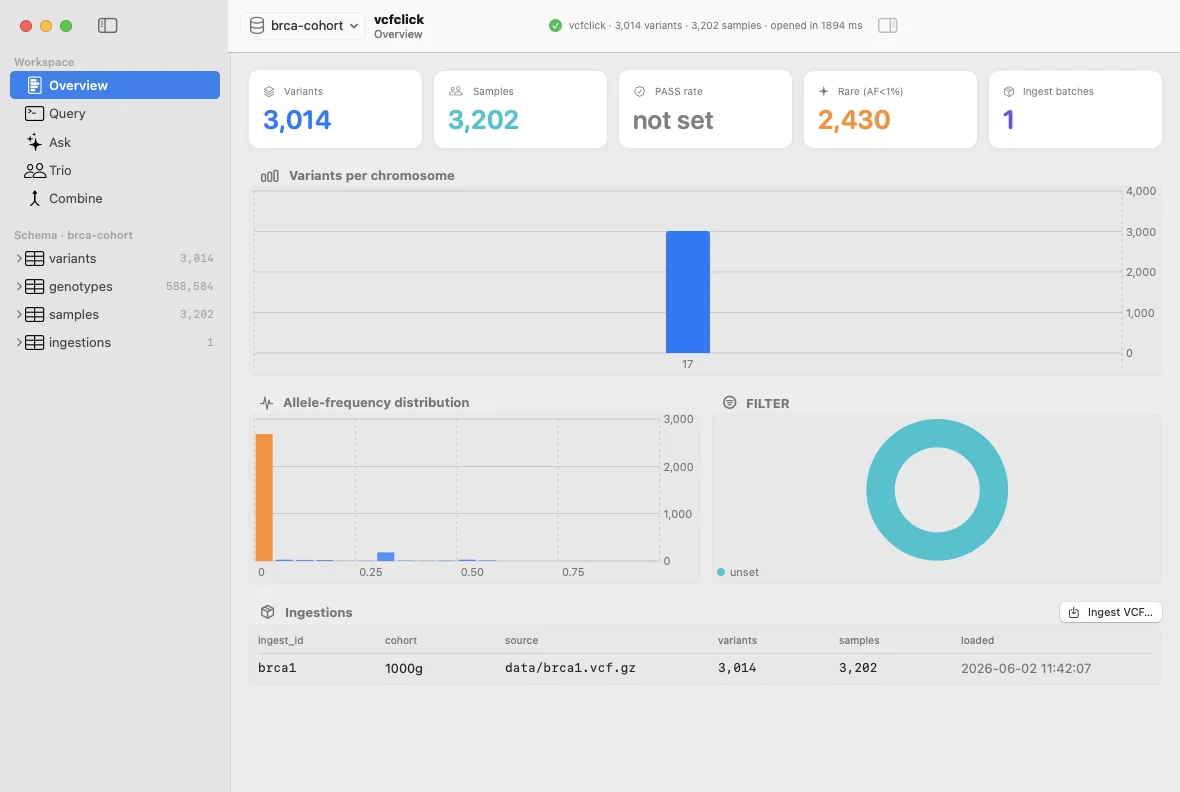
Variant, sample and genotype counts, variants per chromosome, the allele-frequency distribution, a FILTER breakdown and the ingestion history. A VCF with no FILTER values says "not set" rather than claiming a 100% PASS rate.
Query
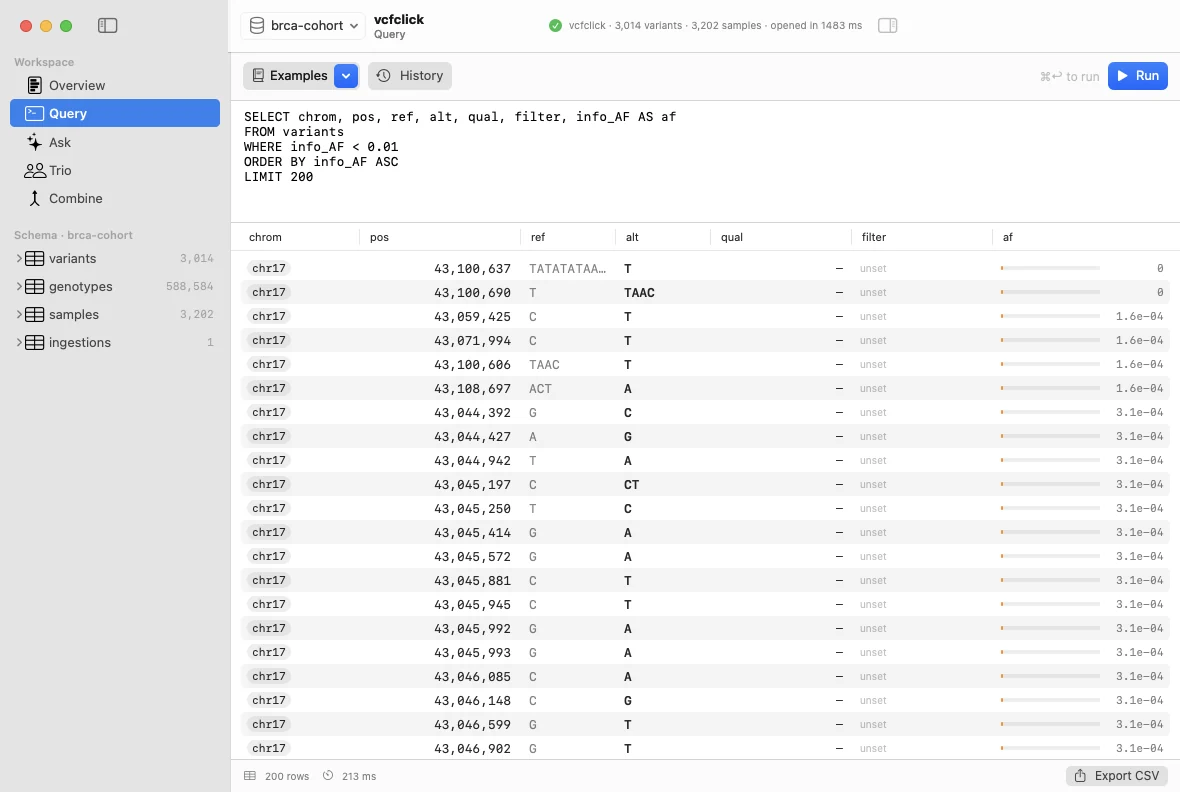
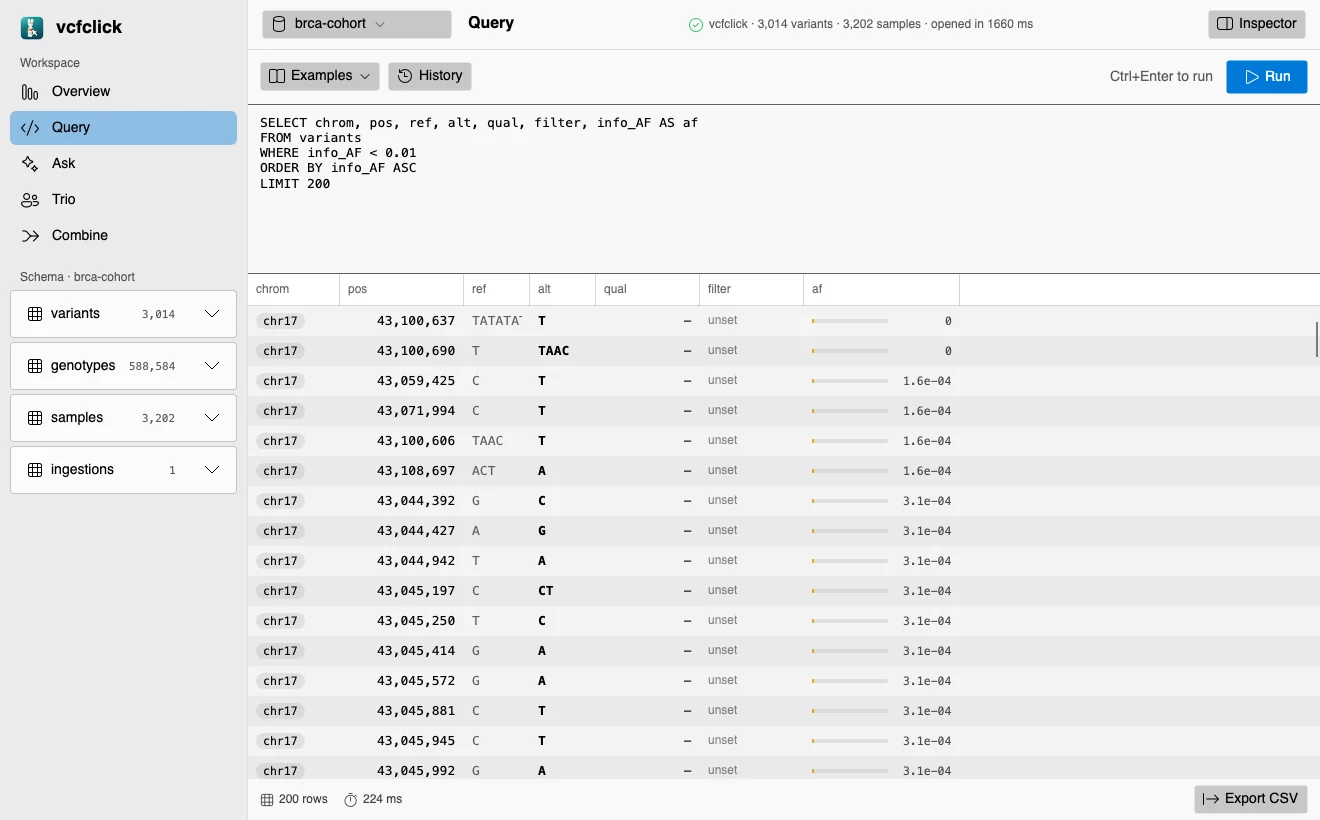
Read-only SQL against the real tables, with examples, history, typed cells (genotype codes shown as 0/1, 1/1), header-click sorting in natural chromosome order, CSV export, and every column of a row on double-click.
Not wired up yet: Ask (question to SQL), Trio and Combine panels run on a
built-in demo dataset for now and say so. Next up: Trio through vcfclick db trio (which needs a pedigree loaded with db ped)
and Combine through vcfclick combine.
How they work
The apps don't embed their own engine. They run the vcfclick CLI you already have: db query --format JSON for
queries and the Overview, db create and db ingest for ingestion. So they
work with either storage backend, pick up every vcfclick release, and nothing leaves your
machine.
Only a single read-only statement is ever sent, the same guard as vcfclick web. When something
fails, you see the useful line of the error, not a Python traceback.
Each app is tested against the real CLI in a throwaway database folder: ingest into a new database, open it, check the numbers, run every example query, error handling, batch replacement by ingest ID, a failed ingest and an empty database. The Windows/Linux app's suite also passes on Ubuntu 24.04. Windows builds are cross-compiled and tested headlessly; testing on Windows hardware is in progress.
Platforms
| Platform | Requires | Built with | Ships as |
|---|---|---|---|
| macOS | macOS 14.4 or later | SwiftUI | App bundle |
| Windows | Windows 10 and 11, x64 | C# / .NET 10 / Avalonia | Single self-contained .exe |
| Linux | x64 and arm64, X11 or Wayland | C# / .NET 10 / Avalonia | Single binary + .desktop launcher |
All three need vcfclick itself installed
(pipx install vcfclick). If the
app can't find it, it says so and lets you point at it.
Not released yet
The desktop apps are in active development and not yet available for download. If you'd like early access for your lab or want to shape what comes next, get in touch.
vcfclick web and vcfclick tui are available today as optional extras of the CLI. ← back to vcfclick